
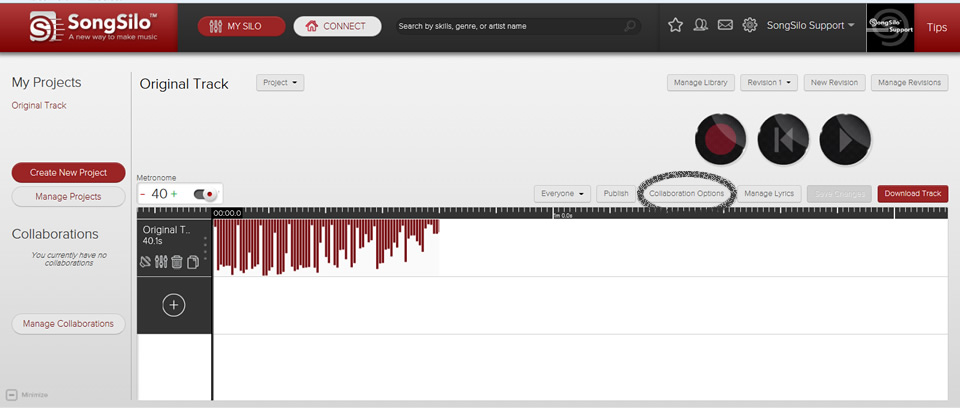
To access your Collaboration Options please click on "My Silo" at the top of the screen. This will open your Projects and Collaborations. To view or edit your Collaboration Options click the "Collaboration Options" button which is circled in the following image:
The following window will appear:
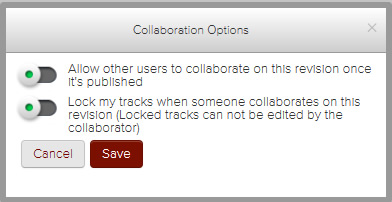
If the toggle button is green and to the left it means the setting is turned ON. Click the toggle button to turn OFF the setting if desired.
If you want user's to be able to collaborate with the published revision, keep the toggle button as it is above. If you want users to ONLY be able to listen to your track click the toggle button to turn it off.
"Lock my tracks when someone collaborates on this revision" means they are unable to edit your track (including volume, L/R panning, cutting, or moving). If you would like to give them more control over your track click this toggle button to turn it off.