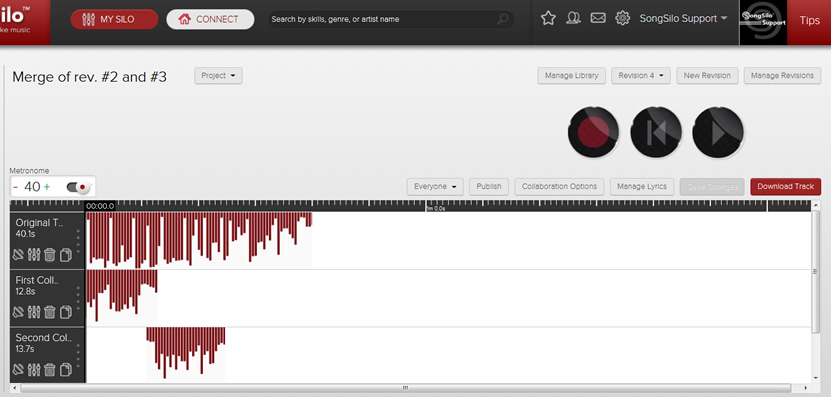
Once you publish a track other users are able to collaborate with that track if you have allowed them to. See article "Collaboration Options" to see how you can enable and disable collaboration. Once they are happy with their collaboration to your track they click "Return to Owner" and submit the recording back to you for your review. Here is where merging tracks can help. If you receive multiple collaborations to one of your published tracks, you may want to combine (or merge) these collaborations altogether.
First you want to Click "My Silo" to review your tracks and collaborations. Then click the project you want to edit under the "My Projects" section on the left of the screen as seen in the following image:

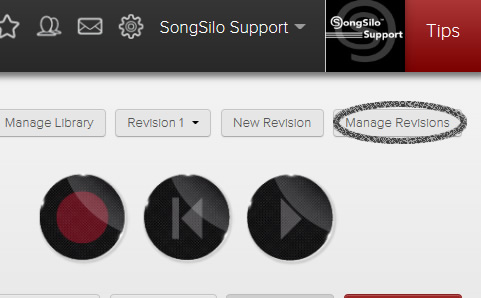
Now that the project you want to edit is open, click "Manage Revisions" button.
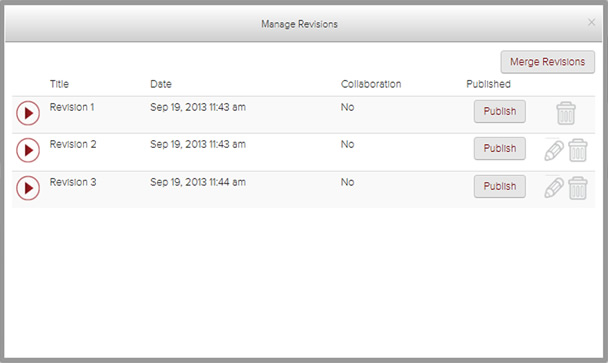
Then you will see the Manage Revisions window appear.
Click "Merge Revisions" as seen above on the top right of the screen.
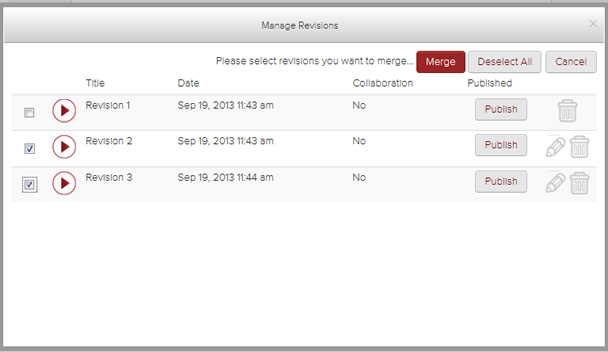
Click the check box(es) to the left of the revision(s) you want to Merge. A check will appear in the box and then click the red Merge button at the top of the window.
A new revision is created with the Merged tracks. You can now edit the tracks as needed. You also have the option to publish this combined collaboration. You may want to update the "Title" (Merge of rev. #2 and #3) to something more meaningful.